A panic button that shows you who is coming
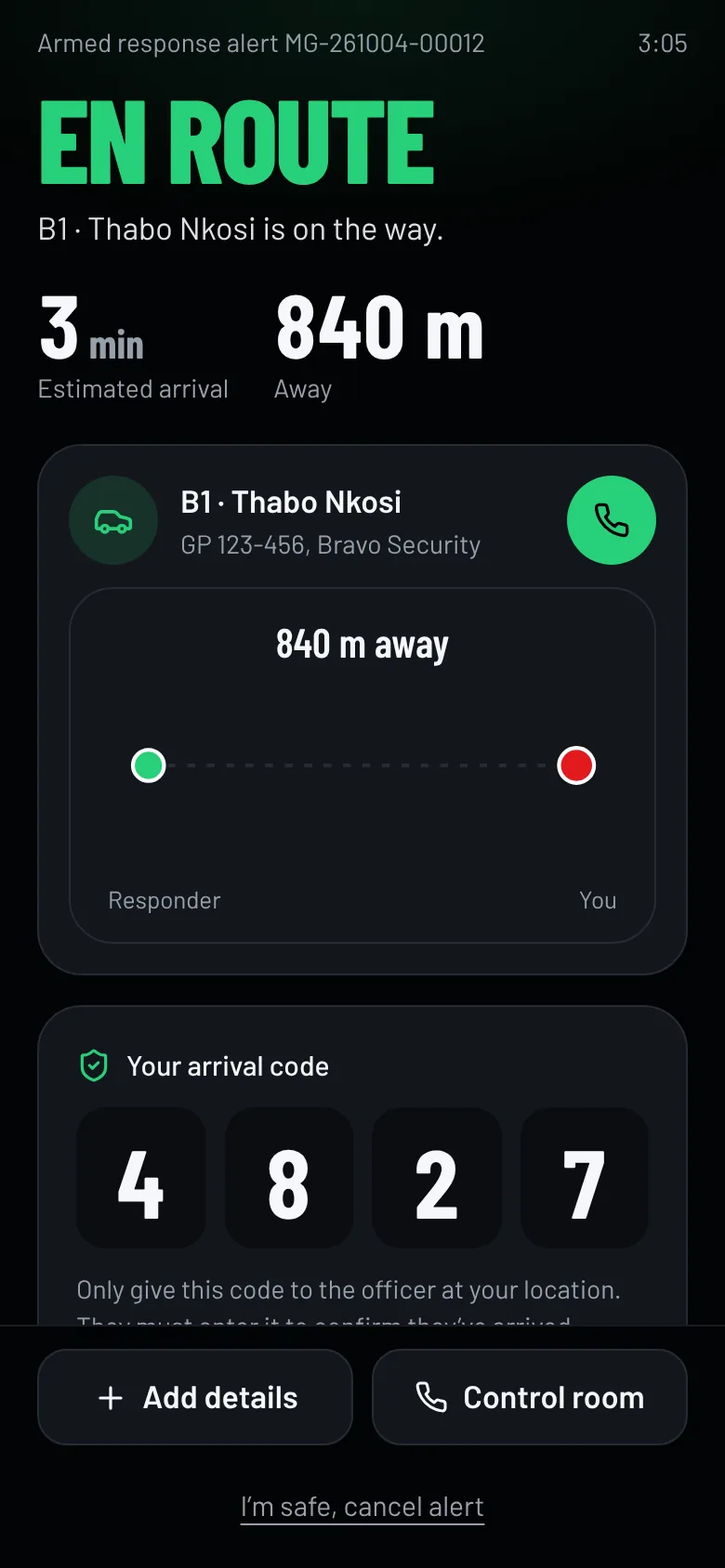
The MasterPanic app turns your phone into a panic button connected to our 24/7 control room and our armed response officers. Hold it for 3 seconds and the closest available officer is sent, ours or a vetted partner on our network. You see their name, vehicle and live arrival time, and a code to check at the gate.
What you can do with it
Panic, medical or fire
Pick the type before you hold if there’s time. If not, it defaults to armed response.
Choose who comes
The default sends the nearest available responder, ours or a vetted partner on our network. You can also ask for a specific officer you know.
Arrival code
Every alert gets a 4-digit code that only you can see. The real responder asks for it before you open the gate.
Safety timer
Going on a date, taking a ride or selling something to a stranger? Set a timer. If you don’t check in, the alert goes out by itself with your note and the location where you started the timer.
Medical notes and contacts
Add allergies and conditions, which responders see during an alert, and up to five emergency contacts for our control room.
History
Every alert you’ve sent, who responded, how long they took and how it ended. Rate each response.
Built for the worst moment of your week
Dark screen, big targets, one hand. Nothing to read before you press.
- One large button in the thumb zone, with a ring that fills as you hold
- The phone vibrates every second so you know it’s working without looking
- Your location keeps updating while help is on the way
- Call our control room or the responder straight from the alert screen
Questions people ask
More in the full FAQ.
How do I get the MasterPanic panic app?
Send us your details. We confirm cover for your address, register you as a MasterPanic client, pin your home or business on our map and send you a PIN and a link to install the app.
What does it cost?
The monthly fee for the app and armed response depends on your area and the cover you need. Tell us your address and we send you a quote, with no obligation.
Who responds when I press it?
Our 24/7 control room receives the alert and the nearest available armed response officer is sent: one of ours, or a vetted partner company’s officer on our network if they are closer or our vehicles are busy. Our control room still follows the alert to the end.
Does it work without data?
The app needs mobile data or Wi-Fi to send an alert. If it can’t connect, it offers to call our control room or send them an SMS with your location.
What if my GPS is off?
The alert still goes out, using the home or business address and map pin we have on file for you.
Can I press it by accident?
You have to hold the button for 3 seconds while the ring fills. If you do send one by mistake, tap “I’m safe, cancel alert” and choose a reason.
Become a MasterPanic client
Tell us where you live or work. We confirm cover for your address, quote you, and set you up with the app and armed response. Already a client? Sign in with your phone number and PIN.