
How MasterPanic works
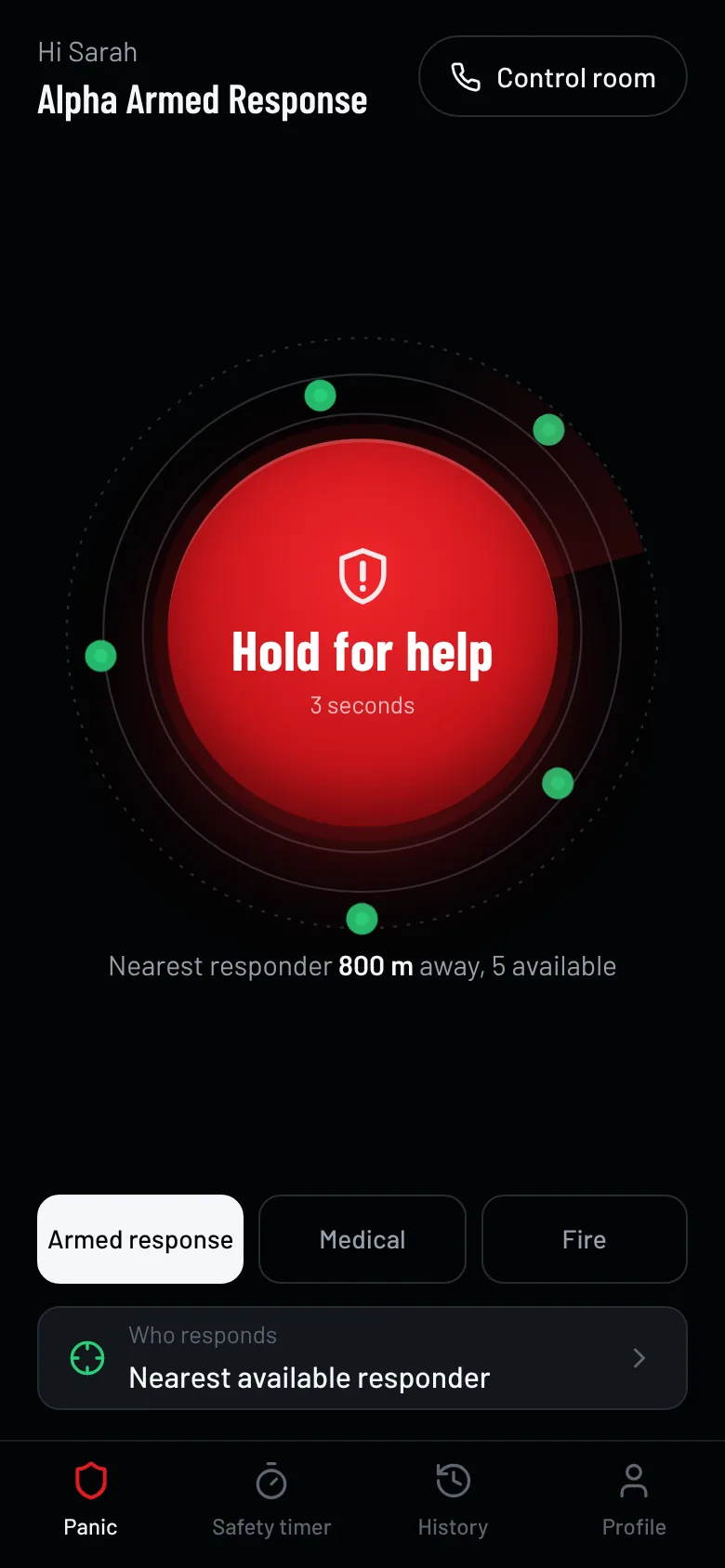
A MasterPanic client holds the panic button for 3 seconds. We send their GPS location to the 5 nearest available armed response officers at the same time, ours and those of vetted partner companies on our network. The first officer to accept is dispatched, the client sees a live ETA, and the officer confirms arrival with a 4-digit code from the client’s phone. Our 24/7 control room sees every step.
The sequence, in order
- 0 s
Hold
The client holds the panic button for three seconds. Releasing early cancels, so pocket presses don’t send.
- 3 s
Alert sent
GPS location, home address and medical notes reach the control room and the responders.
- + seconds
Five nearest offered
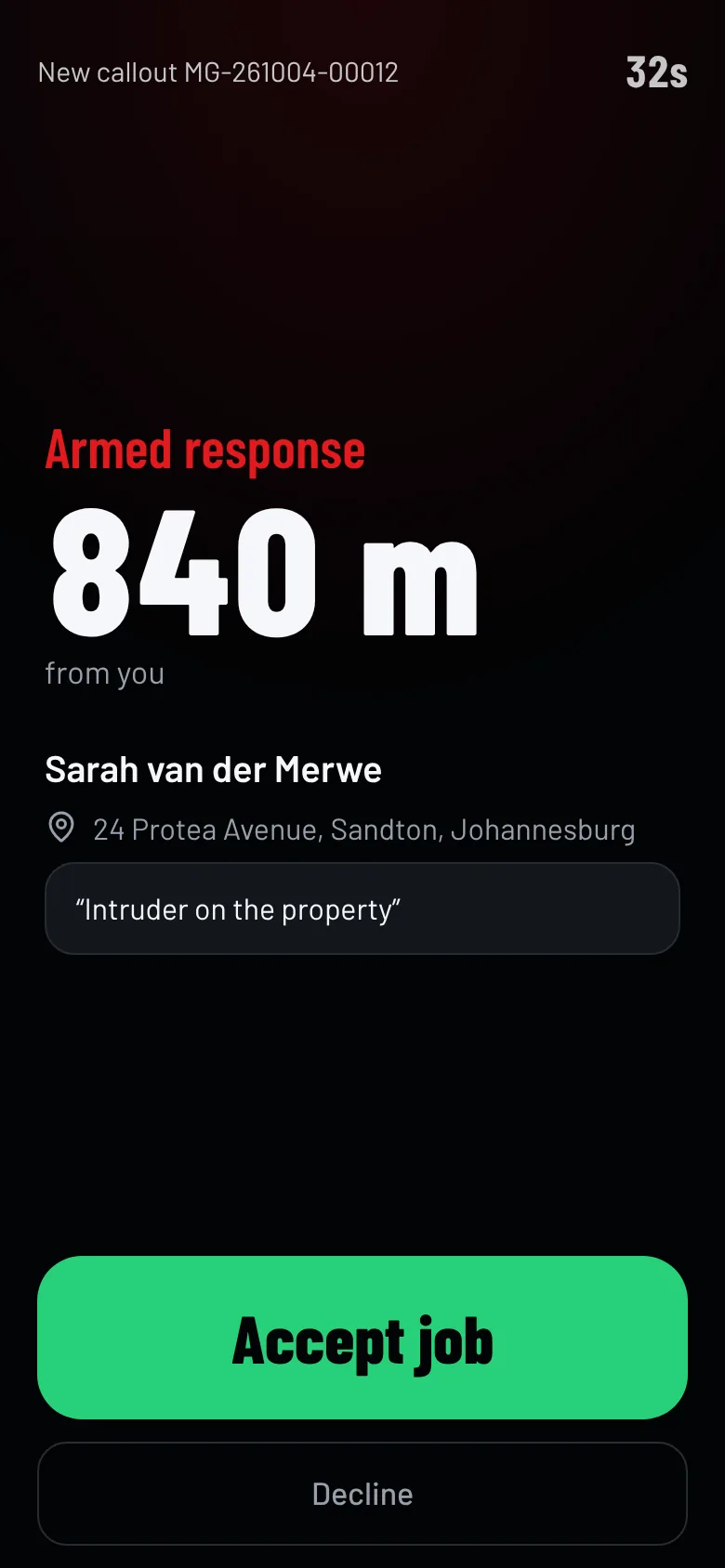
The five closest available responders on the network get a loud job alert at the same time, from any participating company.
- First tap
Accepted
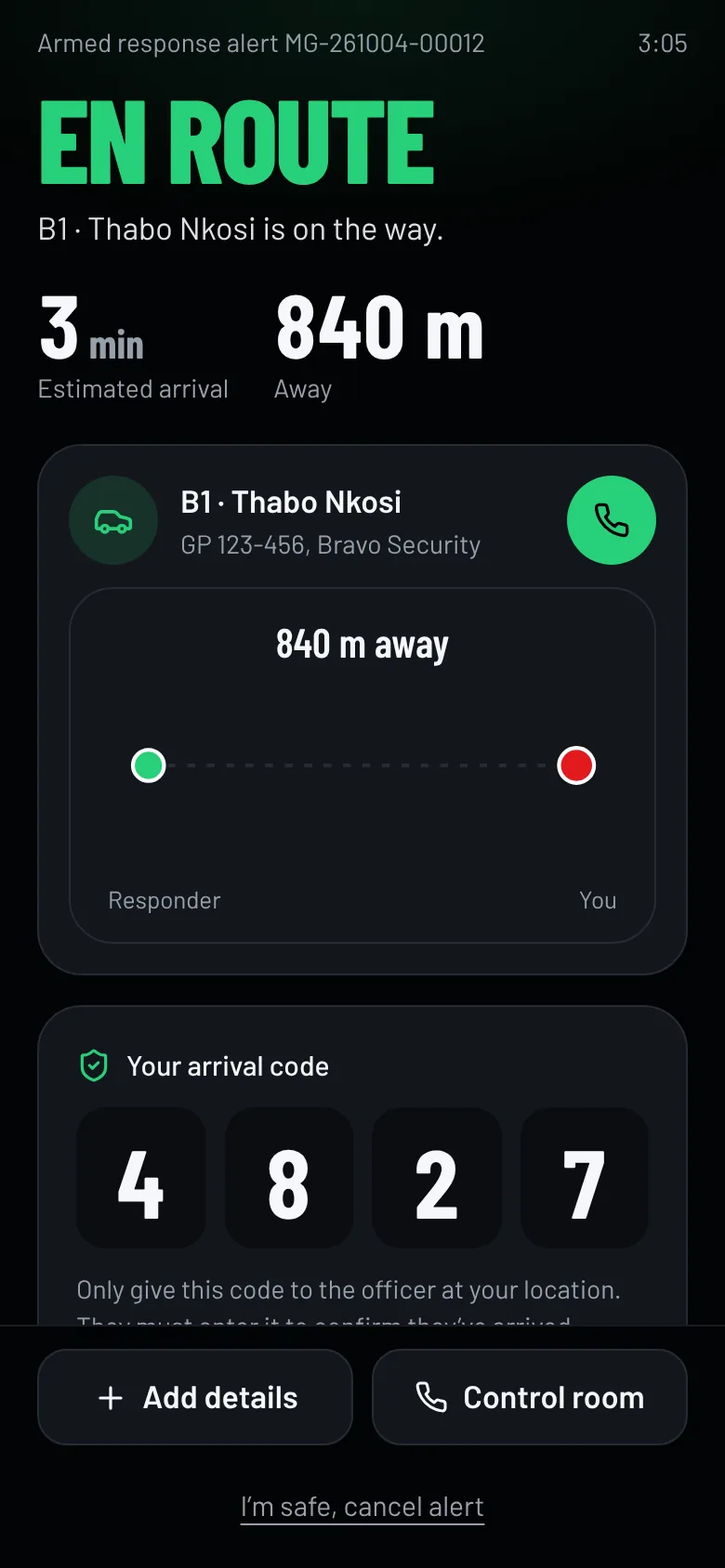
The first responder to accept is assigned. The others are released. The client sees their name, vehicle and live ETA.
- 45 s
Fallback
If nobody accepts, the next five nearest are offered. If nobody is in range, the control room dispatches manually.
- Arrival
Code confirmed
The client reads a 4-digit arrival code to the officer at the gate. The officer enters it to prove they are really there.
- Close
Resolved
The officer records the outcome. The client rates the response. Every step is timestamped for the report.
1. The client
Hold, send, watch them come
- Hold for 3 seconds. A ring fills and the phone vibrates each second. Letting go cancels, so the button can’t fire in a pocket.
- Choose the type before holding if there’s time: armed response, medical or fire.
- Choose who responds, or leave it on the default: our nearest available responder. A client can also ask for a specific officer they know.
- See who is coming. Name, vehicle registration, distance and an estimated arrival time update every few seconds.
- Add details with one tap, like “Intruder on the property” or “Someone is injured”. Both the officer and our control room see it.
- Give the arrival code to the officer at the gate. If someone arrives without asking for it, they aren’t the assigned responder.
If the alert can’t be sent because there’s no signal, the app offers to call our control room or send them an SMS with the client’s location.
2. Our responder
One loud alert, one tap to accept
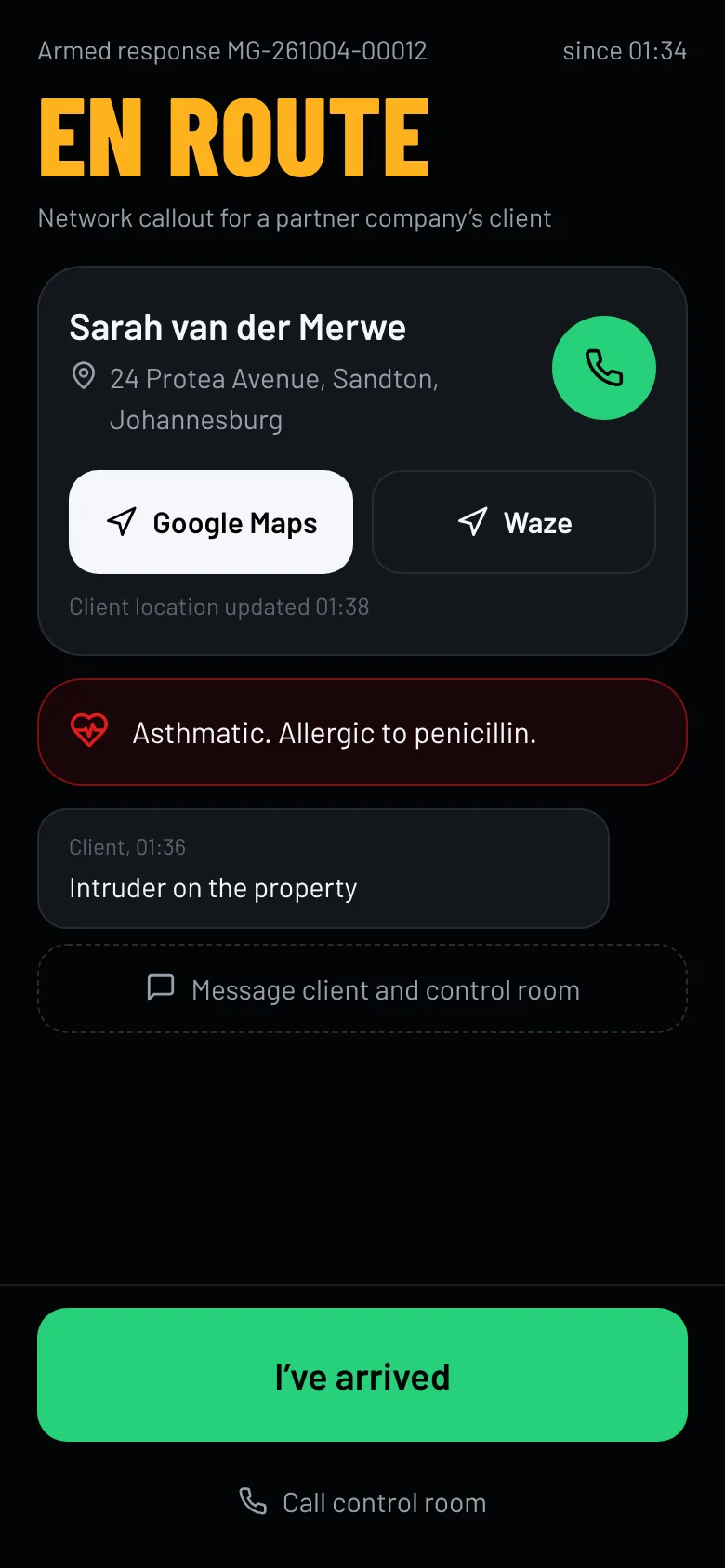
- On duty means available. The app shares the vehicle’s GPS position while the officer is on duty and keeps the screen awake for a dashboard mount.
- The job alert takes over the screen with an alarm, the distance to the client, the alert type and the client’s first message. The offer counts down from 45 seconds.
- First to accept gets the job. Other officers who were offered the same alert are stood down automatically.
- Navigate with Google Maps or Waze in one tap, and call the client directly.
- Confirm arrival with the client’s code. If the client can’t give it, the officer records why.
- Close out with an outcome (genuine, false alarm, test) and a short report.
3. Our control room
Every alert on one screen, with a human in charge
Automatic offers handle most alerts in seconds. Our controllers stay in charge, 24 hours a day: they acknowledge, call the client, re-offer, send a specific vehicle, or dispatch a radio-only unit by hand.
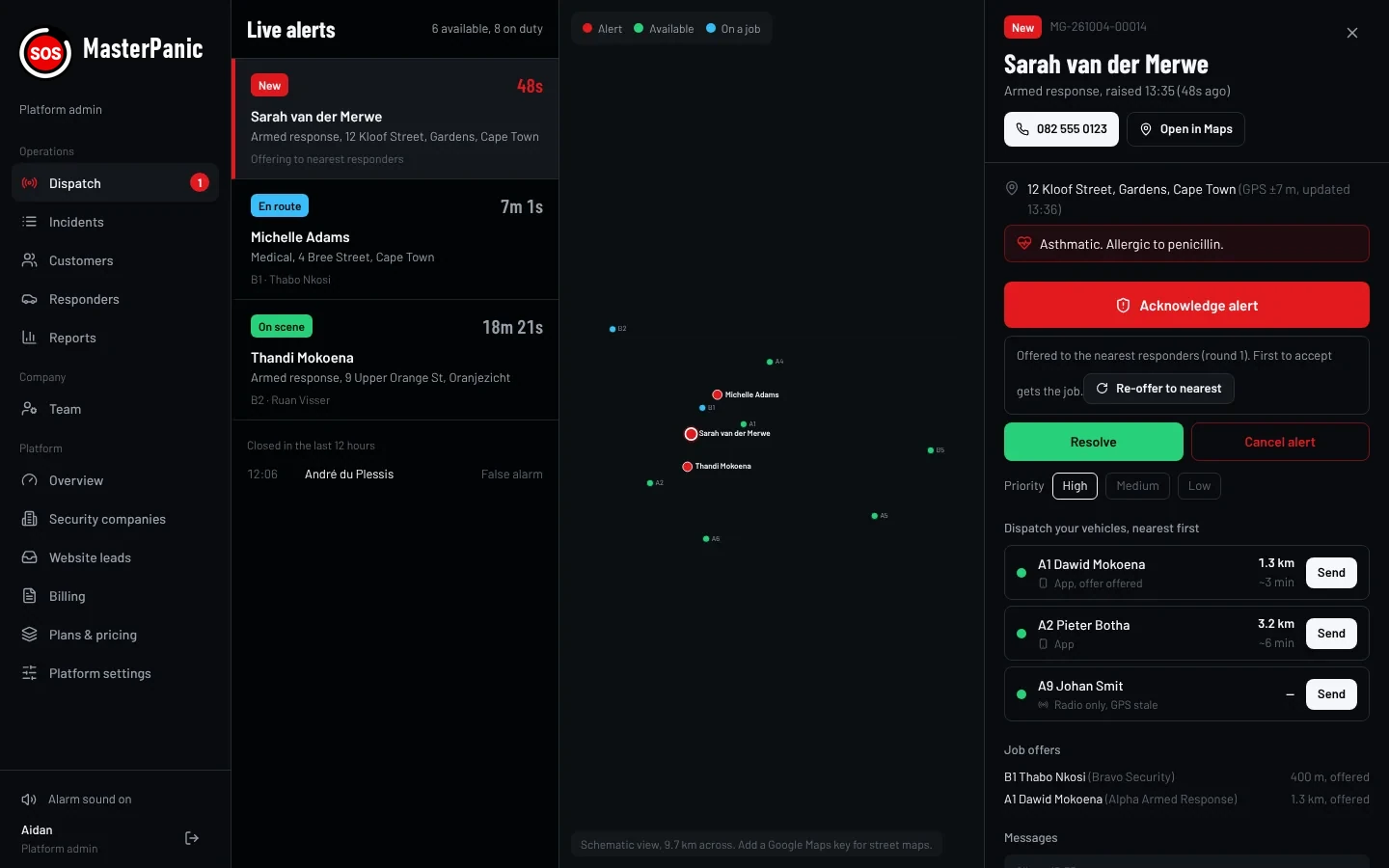
New alert alarm
An audible alarm repeats until someone acknowledges, plus a desktop notification if the screen is on another tab.
Manual dispatch
If no responder accepts automatically, the alert is marked for manual dispatch and the controller sends the closest vehicle, including units that only use the radio.
Full audit trail
Who acknowledged, who was offered the job, who accepted, when they arrived and how it ended, each with a timestamp. Export any period to CSV.
4. Our partner network
Backup when seconds count
Alerts go to the nearest available officers. Where a vetted partner security company on our network has a vehicle closer than ours, or ours are busy, their officer can be offered the job inside their service area.
Our control room follows every partner callout to the end, and the arrival still has to be confirmed with your code. Partner companies keep their own PSIRA registration and their own clients.
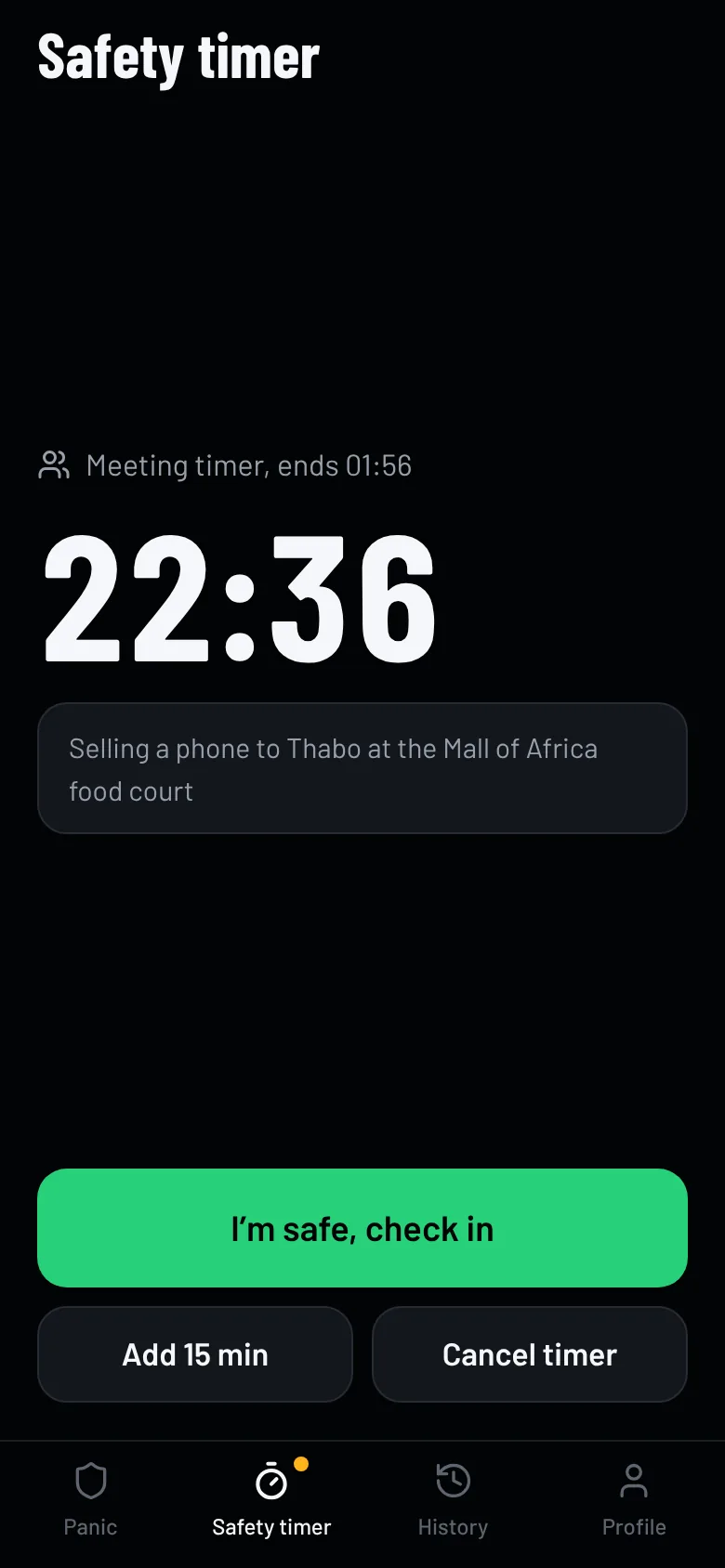
Safety timer, for when you can’t press anything
Before a ride, a first meeting or a walk, the client sets a timer from 5 minutes to 12 hours and adds a note like the car registration.
If they don’t tap “I’m safe” before it runs out, MasterPanic raises the alert automatically with the note and the location from when the timer was started or last extended, and the normal response sequence starts.
Get the panic app.
Tell us where you live or work. We confirm armed response cover for your address, quote you, and send your PIN and a link to install the app. No cost to ask, no obligation.